by Carthik Potluri
I worked as an industrial designer at a company designing movie camera accessories for professionals. We grew from 3 employees to more than twenty over the years. And as we settled into specialised teams spread across the world, we relied on project planning and knowledge-sharing tools to stay in sync with the company's goals. Unfortunately, the many tools we tried over the years would eventually break down.
Being an industrial designer, I was naturally drawn to understanding and solving these challenges in managing our company’s workflows. I spent a lot of time talking to freelancers and other small teams like ours and discovered this problem was not unique to us.
I learned that there are two main reasons why teams abandon their knowledge-gathering and planning tools – disorganization and user interface (UI) friction.
Problem 1 - Disorganization
Information stored in knowledge-sharing and planning tools is often difficult to organize. This makes it harder for teams to locate or recall where data is stored, even if it was just recorded recently. This, in turn, makes the tools seem unmanageable and wasteful, especially during busy periods when they are most needed.
While some responsibility for tools becoming unmanageable can be attributed to user behaviour, the nature of a tool’s design can have a significant influence on user behaviour.
So how can we organize information in more meaningful ways?
I explored how to build a framework that not only allows one to organize relevant groups of information together, but also encourages this habit by design.
Researching how we process information led me to discover the difference between conceptual meaning (literal meaning of a word) and associative meaning (associations attached to a word) in the context of recalling information or patterns.
Our brains rely heavily on associative relationships to recall information, as demonstrated by the baker-baker paradox. It is much easier to recall someone’s profession as a baker (i.e., from associations of cakes, smells, taste, and funny hats) than it is to remember someone whose name is Mr. Baker.
Organizing related information in hierarchical branches of a tree list can help assemble comprehensive blocks of knowledge. Seeing the information in nested layers helps build associative relationships between the various branches of information, while colour accents and card positions offer further visual and spatial cues to strengthen these associations.
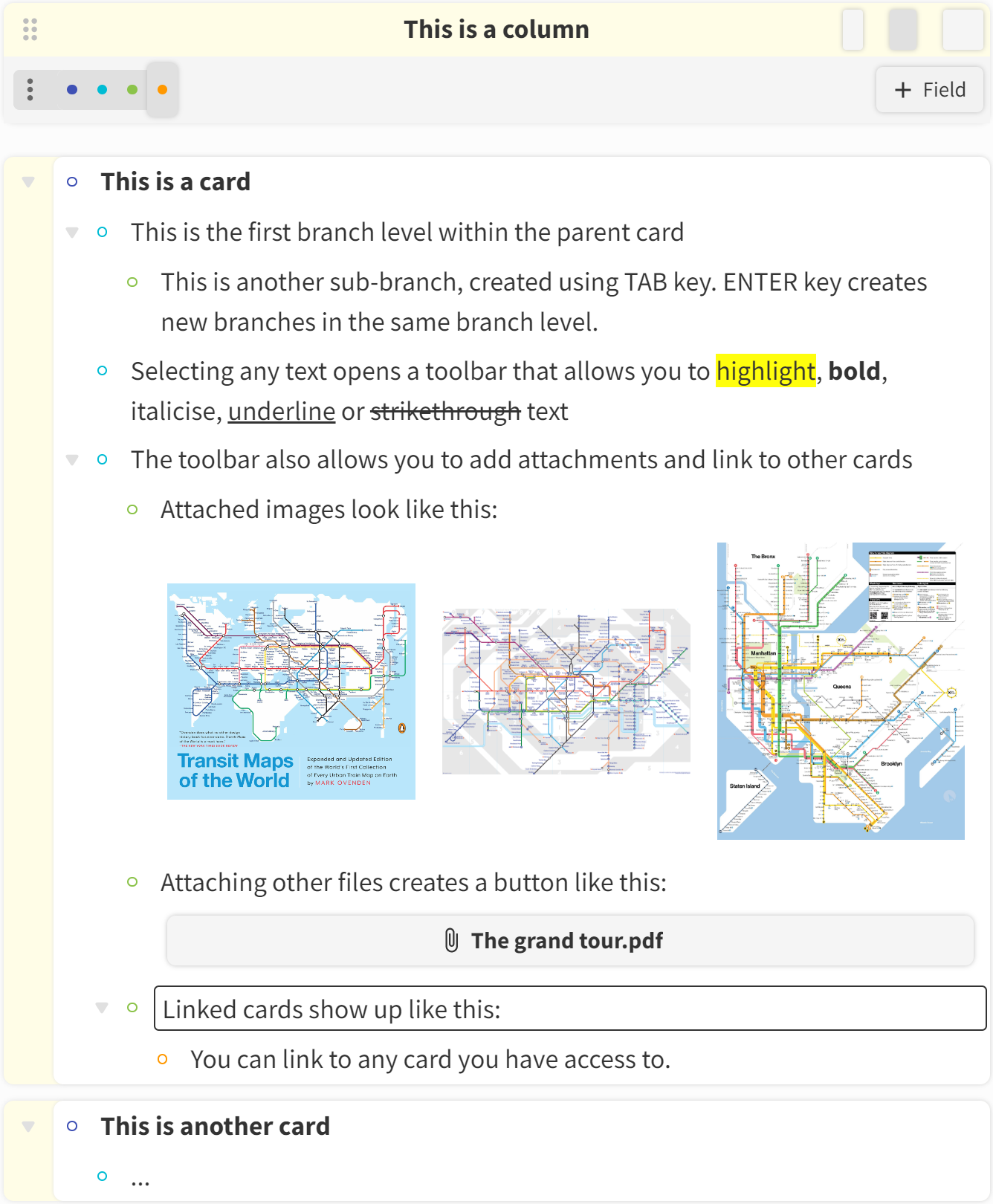
Column anatomy
The ‘zip tie' feature at the top of the column provides a new interface allowing you to ‘zip' across the hierarchical branches in all the cards in the column. Being able to switch from a high-level overview to a detailed view with such granular control helps reinforce the associative relationships between the various branches of information.
Zip tie demo
Problem 2 - UI friction
Across many tools, the UI friction (i.e., the resistance of a UI to the user accomplishing their goal) for simple tasks is too high. This leads to team members resorting to pen and paper to jot down quick notes or other simpler methods of recording information. Over time, such friction can increase the user’s cognitive and emotional resistance to using the tool altogether. This, in turn, can cause fragmentation in a team’s information flow and disincentivize users from relying on the tool.
So how do we simplify knowledge-sharing and planning tools and minimize UI friction?
This was an exercise in eliminating unnecessary features through a lot of trial and error. I had to make choices that would simplify the use of this tool for small teams and individuals to perform simple tasks with as few clicks as possible.
Whether a user is drafting long form content, comparing lists, prioritizing ideas, or managing a Kanban board, the ‘board of columns’ framework provides a versatile sandbox for fleshing out ideas and plans while presenting an intuitive visual structure that scales well from desktop to mobile interfaces.

Board of columns
Integrating ‘planning fields' like checkboxes, assignees, and dates to the hierarchical tree lists unifies notes and plans. This makes it simple to collaborate with team members and schedule tasks and lets team members easily define plans with detailed processes and checklists. A dedicated planner view that aggregates all the branches with planning fields simplifies daily planning workflows and helps visualize task dependencies on a Gantt chart.
Ultimately, the aim of Grove Mode is to provide users with a tool that is effortless to use and actively helps you think, plan, and do better.
If you are curious, please leave your email below. We will contact you regarding our beta release once it’s ready. We promise not to share your email with anybody.
Grove Mode is in beta for web.